

Most people still shop on Amazon the same way they did years ago: search for a product, open dozens of listings, compare reviews, hope the discount is real, and eventually buy something without really knowing if it was the best deal.
Meanwhile, Amazon recently added AI shopping tools that can track prices, compare products, summarize reviews, alert shoppers before discounts, and even buy products automatically when prices drop.
As Prime Day and the holiday shopping season get closer, these new tools can actually help shoppers save money, avoid fake discounts, compare products faster, and shop much smarter.
I usually write about Amazon from the seller’s side, but this time I wanted to share something for my friends who shop on Amazon all the time.
We gathered 10 Amazon AI shopping features that can help you stop overpaying, save time, and make smarter buying decisions.
1. Use Price History to Know if a Deal is Actually Good
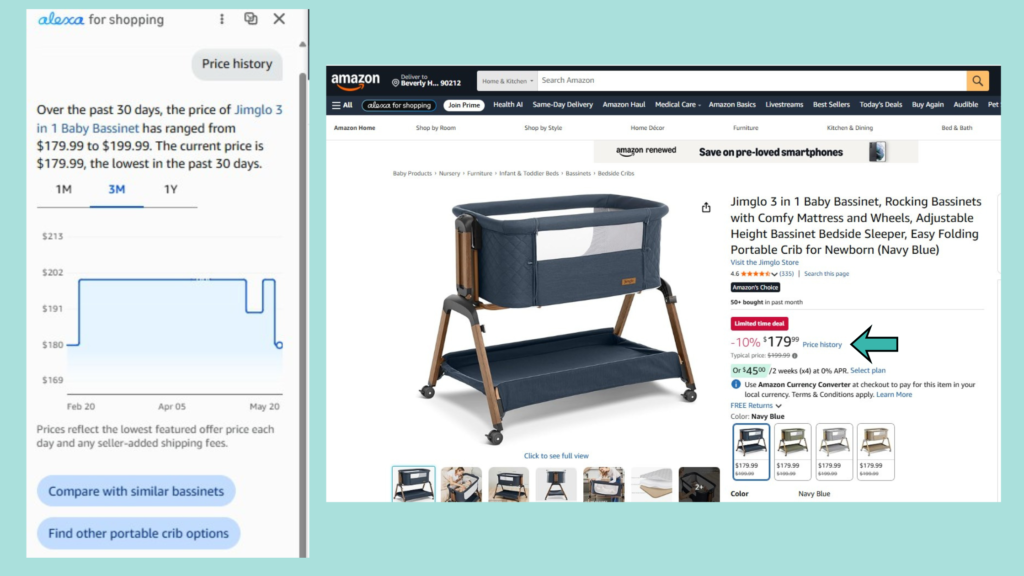
Not every Amazon “sale” is really a good deal. Amazon now shows 30, 90, and 365 days of price history on eligible products, so shoppers can see whether the current discount is actually lower than the usual price. This is one of the smartest features to use before Prime Day because many shoppers buy impulsively when they see a discount badge without checking the real pricing history first. It is especially useful for expensive purchases like electronics, kitchen appliances, baby products, furniture, and tech products.
2. Let Price Alerts Watch Deals for You
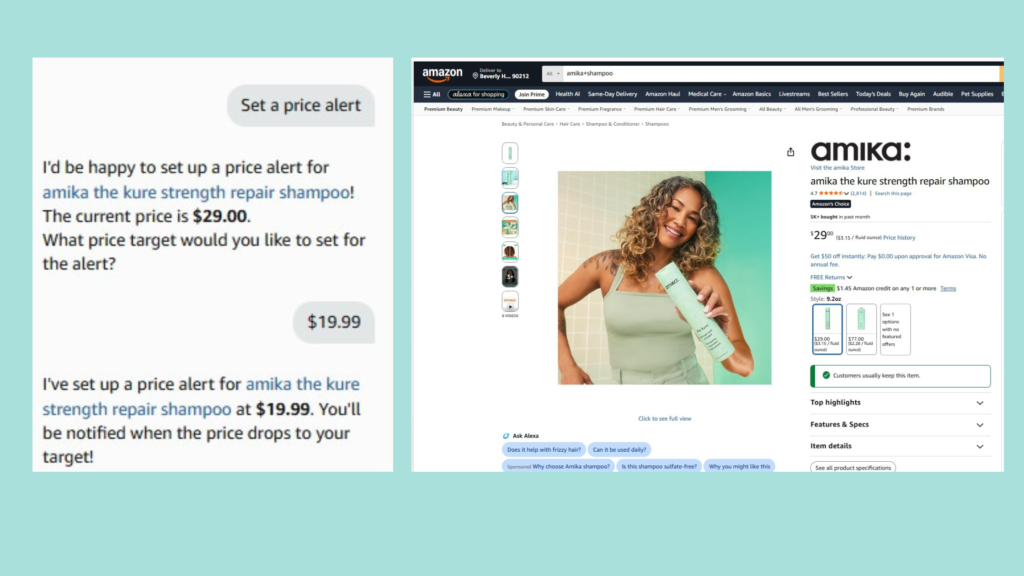
Instead of checking the same product every day and hoping the price drops, shoppers can now use Price Alerts. You can set the price you are willing to pay, and Amazon will notify you once the product reaches that amount.
This is especially useful for products with frequent price changes like headphones, beauty products, seasonal items, gaming accessories, and household essentials. It is a simple way to avoid overpaying when you are not in a rush to buy.
3. Use Auto-Buy to Automatically Catch the Right Price
Amazon is also testing Auto-Buy, which allows shoppers to automatically purchase a product once it reaches their target price. For example, if you are waiting for a specific pair of headphones to drop below $150, Amazon can monitor the price and place the order automatically once the price drops. This feature is mainly useful for products you already know you want and are simply waiting to buy at the right price.
4. Ask Better Shopping Questions and Get Smarter Results
Most shoppers still search Amazon using very basic keywords like:
“coffee machine” or “baby monitor”
But Alexa for Shopping works much better when the question is more specific.
For example:
- “What coffee machine is best for a small kitchen?”
- “What is a good beginner camera under $500?”
- “What is the best carry-on suitcase for international travel?”
The more details you give, like budget, lifestyle, size, or use case, the better the recommendations usually become.
5. Compare Products Faster with AI Comparison Tools
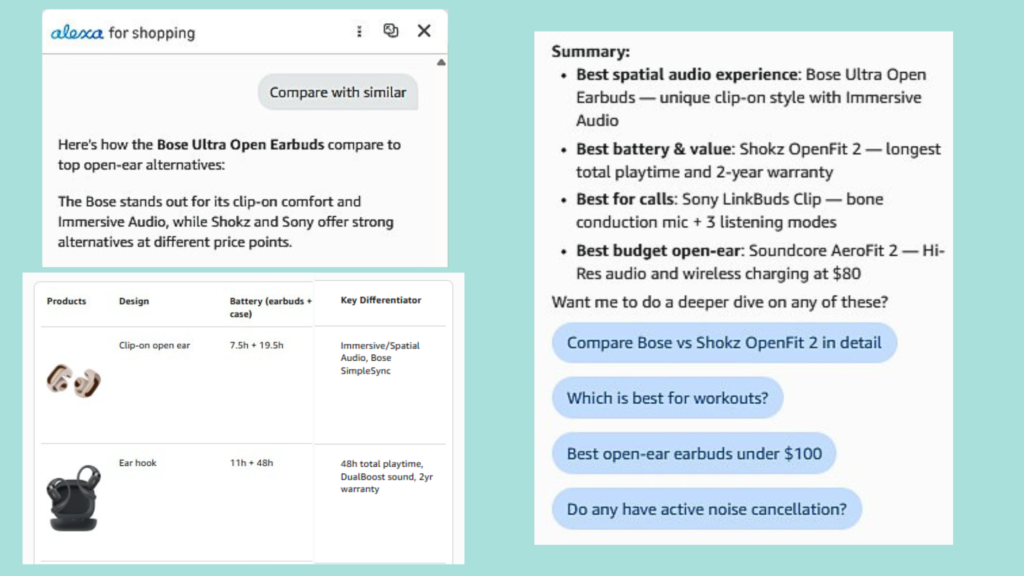
One of the most frustrating parts of Amazon shopping is comparing similar products across multiple tabs. Amazon now lets shoppers compare products side by side using AI-powered comparison tools. This is especially useful in categories where products look almost identical, like electronics, skincare, supplements, toys, kitchen products, and home gadgets.
Instead of reading hundreds of reviews manually, shoppers can quickly understand the main differences between products before buying.
6. Save Time with AI Summaries and Audio Highlights
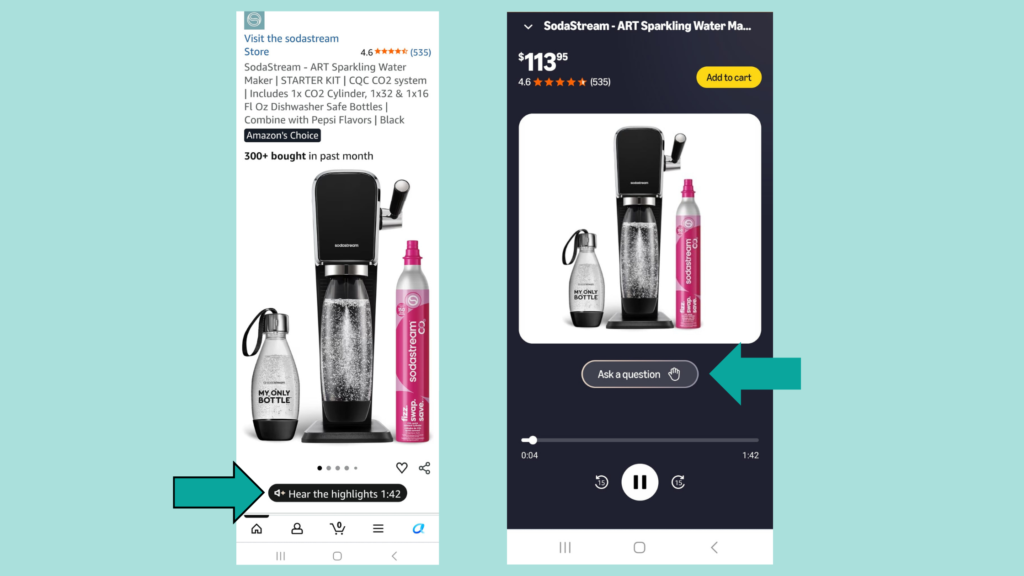
Amazon now helps shoppers quickly understand products with AI-generated summaries in search results and on product pages. In some cases, shoppers can also use Hear the Highlights to listen to short audio summaries (On the mobile App) based on product details, reviews, and information from across the web.
Amazon also added Join the Chat, a feature that lets shoppers ask follow-up questions while listening and get more personalized answers in real time. This can help shoppers quickly understand the main pros and cons of a product before spending time reading dozens of reviews themselves.
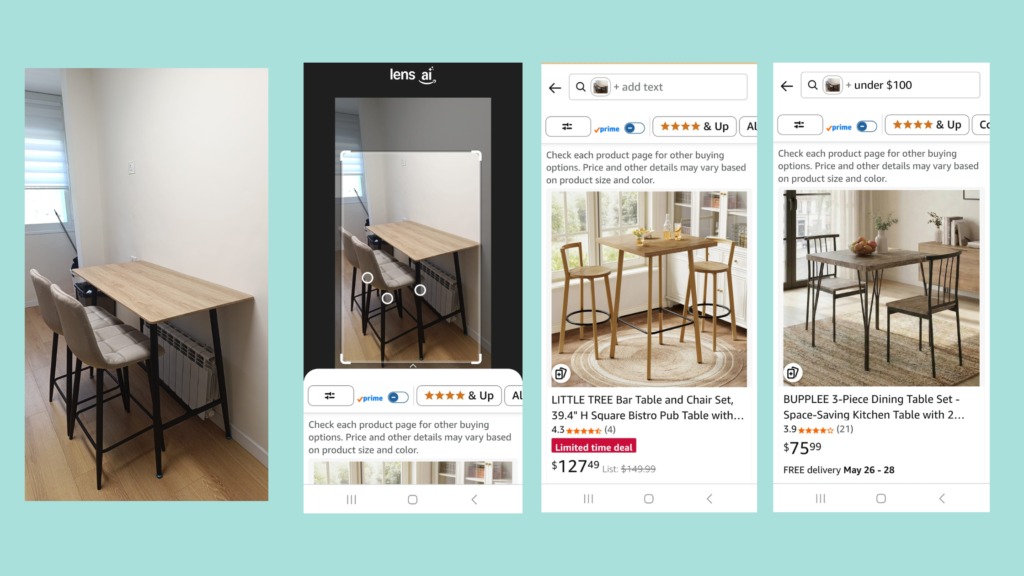
7. Use Photo Search When You Don’t Know What to Type
Sometimes shoppers see a product they like but do not know how to describe it. With Photo Search, shoppers can upload an image and ask Amazon to identify the item or find similar products.
This is especially useful for fashion, furniture, home decor, replacement parts, accessories, and gifts. A photo can often explain what keywords cannot.
8. Use Shopping Guides Before Making Bigger Purchases
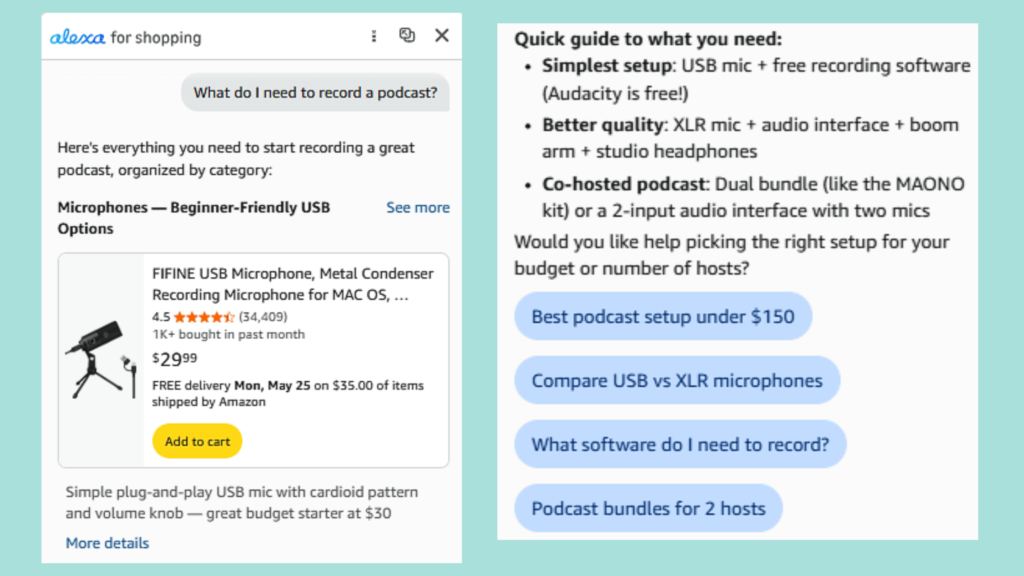
Some products require research before you even know what to search for.
Amazon’s Shopping Guides help shoppers understand what features actually matter before buying products like cameras, coffee machines, strollers, fitness equipment, or tech products.
Instead of jumping between YouTube videos, blogs, and reviews, shoppers can get a simpler overview directly inside Amazon.
9. Get More Personalized Recommendations
Alexa for Shopping can now use shopping history and personal preferences to recommend products that better match a shopper’s lifestyle and habits.
This can save time when shopping for groceries, beauty products, kids’ items, pet products, fitness products, and everyday household essentials.
The more context shoppers give Amazon, the more useful the recommendations can become.
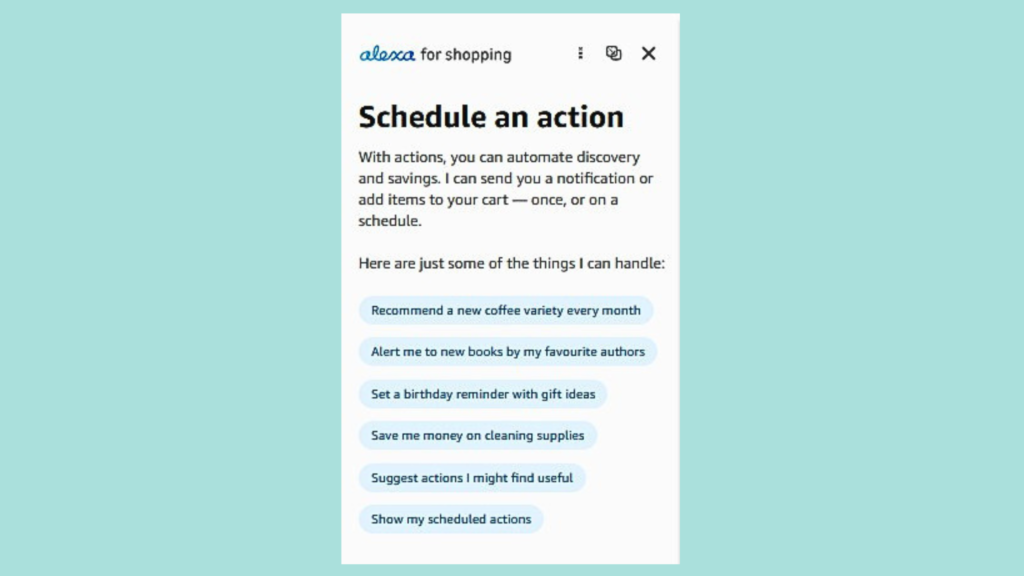
10. Automate Repeat Purchases and Save Time
Amazon is also adding more tools for routine shopping.
With Scheduled Actions, reorders, shopping lists, and recurring purchase tools, shoppers can automate purchases for products they buy regularly.
This is especially useful for household essentials, pantry items, school supplies, pet food, and everyday products that people reorder again and again.
Practical prompts to try with Alexa for Shopping
Instead of using Amazon only as a search engine, try using it as a shopping assistant.
Here are a few prompts worth trying:
- “Show me the price history for this product.”
- “Notify me when this item drops below $___.”
- “Buy this item automatically if it reaches $___.”
- “Compare these two products and tell me the main differences.”
- “What are the most common complaints in the reviews?”
- “Which option is better for my use case?”
- “Find products like this photo, but under $___.”
- “Create a shopping guide for ___.”
- “Find deals based on my wish list.”
- “Rebuild my cart from my last order of ___.”
The more specific the prompt, the better the results usually become.
Final takeaway
But for now, the biggest advantage still goes to shoppers who know how to use these tools before everyone else does.
AI will probably change online shopping completely over the next few years.
As Prime Day and the holiday shopping season get closer, features like Price History, Price Alerts, AI summaries, and product comparisons can help shoppers save money, avoid fake discounts, compare products faster, and make smarter buying decisions.
Smarter shopping is no longer just about finding discounts. It is about knowing how to use AI to avoid overpaying in the first place.